Webflow
Add the site snippet through custom code for the relevant page or project. Verify publishing and consent behavior on the live page.

Home / Integrations
KEEP YOUR EXISTING STACK
CopySlice is designed to work as a lightweight optimization layer on top of existing landing pages, with head-script installation or a Google Tag Manager route.
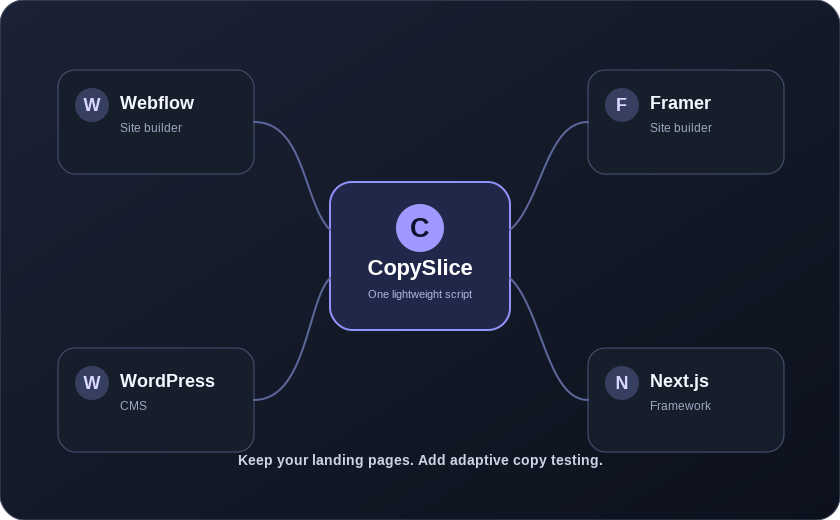
LANDING PAGE PLATFORMS
Installation details vary by platform. Compatibility and performance should be verified on your actual page during the pilot.
Add the site snippet through custom code for the relevant page or project. Verify publishing and consent behavior on the live page.
Place the loader in custom code for the landing page and check when text elements render.
Install through your header code manager or theme integration, then verify no cache/minifier conflict.
Use a plan that supports custom code and insert the snippet in the approved location.
Add the loader to the page head, keeping route and hydration behavior in mind.
Paste the script into the document head and identify the exact elements whose text may change.
Use the quick-install option when direct head access is unavailable; check for late text swaps.
Keep the current builder and use supported custom-script injection where the platform permits it.
INSTALLATION
The intended setup is deliberately small. Your final pilot installation snippet will include your actual site identifier.
The loader reads experiment configuration, checks audience eligibility, keeps visitor assignments consistent where permitted, and swaps only approved text. If it cannot load safely, your original page remains available.
The sample below illustrates the planned installation format, not a live or deployable integration endpoint.
<script src="https://cdn.copyslice.com/cs.js"
  data-site="YOUR_SITE_ID"></script>
Your pilot onboarding provides the actual production-ready loader and setup instructions.
CONVERSION CONNECTIONS
CopySlice is intended to support several ways of recording goals, from immediate form submissions to later CRM outcomes.
Attribute conversions after visitors reach a designated confirmation URL.
Send explicit conversion events from site code or through your tag-management workflow.
Integrate supported form widgets and submission events where reliable identifiers are available.
Pass booked meetings or qualified leads back to the original assignment within the attribution window.
Founding pilot
Share your platform and landing page in the pilot application. We will help confirm what can be instrumented before running paid tests.